
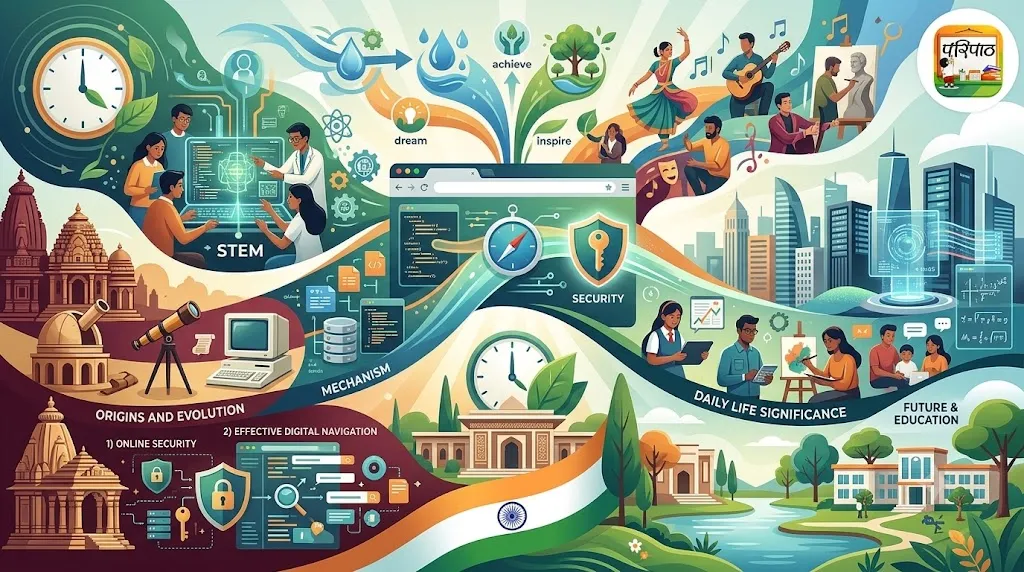
आज, २३ सप्टेंबर रोजी आपण वामन जयंती आणि श्रवण द्वादशी साजरी करत असताना, आपण एका अशा तंत्रज्ञानाबद्दल जाणून घेणार आहोत, ज्याने आपल्या जगाला खऱ्या अर्थाने जोडले आहे. हे तंत्रज्ञान म्हणजे 'वेब ब्राउझर'. आंतरराष्ट्रीय सांकेतिक भाषा दिनानिमित्त (International Sign Language Day) ज्याप्रमाणे भाषा लोकांना जोडते, त्याचप्रमाणे वेब ब्राउझर आपल्याला माहितीच्या विशाल जगाशी जोडतात.
डॉ. राजा रामण्णा आणि माधवराव बागल यांसारख्या महान व्यक्तींनी आपापल्या क्षेत्रात क्रांती घडवली, त्याचप्रमाणे वेब ब्राउझरने माहिती तंत्रज्ञान क्षेत्रात एक मोठी क्रांती घडवून आणली आहे. अंबाती रायडू यांच्या फलंदाजीप्रमाणे, ब्राउझरने आपल्याला इंटरनेटच्या मैदानावर वेगाने पुढे जाण्याची संधी दिली आहे. आयुष्मान भारत योजना ज्याप्रमाणे आरोग्य सेवा सर्वांपर्यंत पोहोचवते, त्याचप्रमाणे वेब ब्राउझरने ज्ञानाचे दार सर्वांसाठी खुले केले आहे.
तुम्ही तुमच्या स्मार्टफोनवर, टॅबलेटवर किंवा कॉम्प्युटरवर इंटरनेट वापरता तेव्हा तुम्ही काहीतरी खास वापरत असता—ते म्हणजे वेब ब्राउझर! पण हे वेब ब्राउझर नेमके काय आहेत, ते कसे काम करतात आणि त्यांनी आपले डिजिटल जग कसे बदलले आहे? चला, या रोमांचक प्रवासात सामील होऊया!
वेब ब्राउझर म्हणजे काय?
कल्पना करा की इंटरनेट हे एक खूप मोठे शहर आहे, जिथे कोट्यवधी इमारती (वेबसाइट्स) आहेत, ज्यात माहितीचे खजिने भरलेले आहेत. या शहरात प्रवेश करण्यासाठी आणि फिरण्यासाठी तुम्हाला एका विशेष वाहनाची किंवा दरवाजाची आवश्यकता असते. हा दरवाजा किंवा वाहन म्हणजे 'वेब ब्राउझर'.
तांत्रिक भाषेत सांगायचे झाल्यास, वेब ब्राउझर हे एक सॉफ्टवेअर ॲप्लिकेशन आहे जे तुम्हाला वर्ल्ड वाइड वेब (WWW) वरील माहिती शोधण्यास, पाहण्यास आणि संवाद साधण्यास मदत करते. तुम्ही जेव्हा एखाद्या वेबसाइटचा पत्ता (URL) ब्राउझरमध्ये टाईप करता, तेव्हा ब्राउझर त्या वेबसाइटच्या सर्व्हरशी संपर्क साधतो, तिथून डेटा (मजकूर, चित्रे, व्हिडिओ, लिंक्स) मिळवतो आणि तो तुमच्या स्क्रीनवर वाचण्यायोग्य स्वरूपात दाखवतो. हे सर्व काही सेकंदात घडते!
वेब ब्राउझरचा ऐतिहासिक प्रवास: सुरुवातीपासून आधुनिक युगापर्यंत
वेब ब्राउझरचा इतिहास हा इंटरनेटच्या इतिहासाशी जोडलेला आहे. हा प्रवास खरोखरच प्रेरणादायी आहे, कारण सुरुवातीच्या साध्या टेक्स्ट-आधारित ब्राउझरपासून आजच्या प्रगत ग्राफिकल ब्राउझरपर्यंत खूप मोठी प्रगती झाली आहे.
१. सुरुवातीचे दिवस (१९९० चे दशक): वर्ल्डवाइडवेब आणि मोजाईक
- वर्ल्डवाइडवेब (WorldWideWeb / Nexus): १९९० मध्ये टिम बर्नर्स-ली यांनी स्वतःच पहिला वेब ब्राउझर आणि एडिटर तयार केला, ज्याला त्यांनी 'वर्ल्डवाइडवेब' असे नाव दिले. हा ब्राउझर केवळ टेक्स्ट-आधारित होता आणि CERN मधील वैज्ञानिकच त्याचा वापर करत होते.
- मोजाईक (Mosaic): १९९३ मध्ये मार्क अँडरसन आणि त्यांच्या टीमने NCSA येथे 'मोजाईक' नावाचा ब्राउझर तयार केला. हा पहिला ग्राफिकल ब्राउझर होता, म्हणजे तो मजकूर आणि चित्रे एकाच पानावर दाखवू शकत होता. मोजाईकने इंटरनेटला सामान्य लोकांसाठी अधिक आकर्षक बनवले आणि वेब क्रांतीची खरी सुरुवात केली.
२. ब्राउझर युद्धे आणि नेटस्केप (१९९० च्या दशकाचा मध्य)
- नेटस्केप नेव्हिगेटर (Netscape Navigator): मोजाईकच्या यशानंतर, मार्क अँडरसनने NCSA सोडून 'नेटस्केप कम्युनिकेशन्स' ही कंपनी स्थापन केली आणि १९९४ मध्ये 'नेटस्केप नेव्हिगेटर' लाँच केले. हा ब्राउझर खूप लोकप्रिय झाला आणि इंटरनेट वापरकर्त्यांमध्ये तो वेगाने पसरला.
- मायक्रोसॉफ्टचा प्रवेश: नेटस्केपच्या यशाने मायक्रोसॉफ्टचे लक्ष वेधून घेतले. मायक्रोसॉफ्टने १९९५ मध्ये विंडोज ९५ सोबत 'इंटरनेट एक्सप्लोरर' (Internet Explorer - IE) लाँच केला. त्यानंतर नेटस्केप आणि इंटरनेट एक्सप्लोरर यांच्यात 'ब्राऊझर वॉर्स' (Browser Wars) सुरू झाले. मायक्रोसॉफ्टने IE ला विंडोज ऑपरेटिंग सिस्टममध्ये मोफत समाविष्ट केल्यामुळे, IE ने बाजारात वर्चस्व मिळवले आणि नेटस्केप हळूहळू मागे पडले.
३. आधुनिक ब्राउझरचा उदय आणि उत्क्रांती (२००० नंतर)
इंटरनेट एक्सप्लोररने बाजारात एकहाती सत्ता गाजवली असली तरी, त्याच्या अनेक मर्यादा होत्या, विशेषतः सुरक्षिततेच्या बाबतीत. यामुळे नवीन, अधिक सुरक्षित आणि वेगवान ब्राउझरची गरज निर्माण झाली.
- फायरफॉक्स (Firefox): २३ सप्टेंबर २००२ रोजी, 'फायरफॉक्स' (त्यावेळेस 'फिनिक्स' म्हणून ओळखला जाणारा) हा ब्राउझर सार्वजनिकरित्या लाँच करण्यात आला. हा मोझिला फाउंडेशनने विकसित केलेला एक ओपन-सोर्स ब्राउझर होता. फायरफॉक्सने टॅब्ड ब्राउझिंग, पॉप-अप ब्लॉकिंग आणि एक्स्टेंशन/ॲड-ऑन्स यांसारखी अनेक नवीन वैशिष्ट्ये आणली, ज्यामुळे इंटरनेट एक्सप्लोररला एक मजबूत आव्हान मिळाले. फायरफॉक्सने गोपनीयतेवर अधिक लक्ष केंद्रित केले आणि आजही तो एक महत्त्वाचा पर्याय आहे.
- गुगल क्रोम (Google Chrome): २००८ मध्ये गुगलने 'क्रोम' लाँच केले आणि त्याने ब्राउझरच्या जगात क्रांती घडवून आणली. त्याच्या साध्या इंटरफेस, वेगवान कार्यक्षमता आणि मजबूत सुरक्षा वैशिष्ट्यांमुळे क्रोम अल्पावधितच प्रचंड लोकप्रिय झाला. आज तो जगातील सर्वात जास्त वापरला जाणारा ब्राउझर आहे.
- सफारी (Safari) आणि मायक्रोसॉफ्ट एज (Microsoft Edge): ॲपलने आपल्या मॅक आणि iOS उपकरणांसाठी 'सफारी' हा ब्राउझर विकसित केला, जो त्याच्या इकोसिस्टममध्ये उत्तम प्रकारे काम करतो. मायक्रोसॉफ्टने जुन्या इंटरनेट एक्सप्लोररची जागा घेण्यासाठी 'मायक्रोसॉफ्ट एज' लाँच केले, जे क्रोमियम-आधारित आहे आणि आधुनिक वैशिष्ट्ये प्रदान करते.
आधुनिक ब्राउझर हे केवळ वेब पेजेस दाखवणारे सॉफ्टवेअर राहिलेले नाहीत, तर ते एक संपूर्ण व्यासपीठ बनले आहेत, जिथे तुम्ही ई-मेल तपासू शकता, व्हिडिओ पाहू शकता, गेम्स खेळू शकता आणि ऑनलाइन शिक्षण घेऊ शकता.
सुरक्षितता आणि गोपनीयता: ब्राउझरची भूमिका
इंटरनेट हे ज्ञानाचे भांडार असले तरी, ते धोक्यांनीही भरलेले आहे. ऑनलाइन सुरक्षितता आणि गोपनीयता राखण्यात वेब ब्राउझरची भूमिका अत्यंत महत्त्वाची आहे.
१. HTTPS (सुरक्षित कनेक्शन)
तुम्ही जेव्हा एखाद्या वेबसाइटला भेट देता, तेव्हा ब्राउझर त्या वेबसाइटशी सुरक्षित कनेक्शन (HTTPS) आहे की नाही हे तपासतो. HTTPS म्हणजे तुमच्या ब्राउझर आणि वेबसाइटमधील डेटा एनक्रिप्टेड (encrypted) असतो, ज्यामुळे हॅकर्स तो वाचू शकत नाहीत. ब्राउझरच्या ॲड्रेस बारमध्ये पॅडलॉक (कुलूप) चिन्ह दिसल्यास ती वेबसाइट सुरक्षित आहे असे समजावे.
२. कुकीज आणि ट्रॅकिंग (Cookies and Tracking)
कुकीज या लहान फाइल्स असतात ज्या वेबसाइट्स तुमच्या ब्राउझरमध्ये साठवतात. त्या तुमच्या पसंती, लॉग-इन माहिती आणि ऑनलाइन खरेदीची माहिती लक्षात ठेवतात. काही कुकीज तुमच्या ऑनलाइन हालचालींचा मागोवा घेतात, ज्यामुळे तुम्हाला लक्ष्यित जाहिराती दिसतात. आधुनिक ब्राउझर तुम्हाला कुकीज व्यवस्थापित करण्याची आणि ट्रॅकिंग मर्यादित करण्याची सुविधा देतात.
३. पॉप-अप ब्लॉकिंग आणि ॲड ब्लॉकिंग
अनेक ब्राउझरमध्ये इन-बिल्ट पॉप-अप ब्लॉकर असतात, जे अनावश्यक आणि त्रासदायक जाहिरात विंडोजना थांबवतात. तुम्ही ॲड-ब्लॉकर एक्स्टेंशन वापरून जाहिराती पूर्णपणे ब्लॉक करू शकता, ज्यामुळे तुमचा ब्राउझिंग अनुभव अधिक चांगला होतो आणि सुरक्षितताही वाढते.
४. सुरक्षित ब्राउझिंग वैशिष्ट्ये
क्रोम, फायरफॉक्स यांसारखे ब्राउझर तुम्हाला मालवेअर (malware) आणि फिशिंग (phishing) वेबसाइट्सपासून सावध करतात. जर तुम्ही एखाद्या धोकादायक वेबसाइटवर जात असाल, तर ब्राउझर तुम्हाला त्याबद्दल चेतावणी देतो. 'इन्कॉग्निटो मोड' किंवा 'प्रायव्हेट ब्राउझिंग' वापरून तुम्ही तुमच्या ब्राउझिंगचा इतिहास, कुकीज आणि इतर डेटा तुमच्या डिव्हाइसवर साठवला जाणार नाही याची खात्री करू शकता.
विद्यार्थ्यांसाठी ब्राउझरचे महत्त्व: शिक्षण आणि डिजिटल नागरिकत्व
आजच्या विद्यार्थ्यांसाठी वेब ब्राउझर हे केवळ मनोरंजन किंवा माहिती मिळवण्याचे साधन नाही, तर ते एक शक्तिशाली शैक्षणिक आणि विकासात्मक उपकरण आहे.
१. ज्ञानाचा अथांग महासागर
तुमच्या अभ्यासक्रमाशी संबंधित कोणतीही माहिती, संशोधन, ई-पुस्तके, व्हिडिओ लेक्चर्स - हे सर्व ब्राउझरद्वारे सहज उपलब्ध आहे. गुगल, विकिपीडिया, खान अकॅडमी यांसारख्या प्लॅटफॉर्मवर तुम्ही ब्राउझरच्या मदतीने प्रवेश करू शकता.
२. ऑनलाइन शिक्षण आणि सहयोग
ऑनलाइन क्लासेस, वेबिनार, ग्रुप प्रोजेक्ट्स आणि डिस्कशन फोरम्समध्ये सहभागी होण्यासाठी ब्राउझर अत्यंत आवश्यक आहेत. तुम्ही तुमच्या मित्र-मैत्रिणींसोबत किंवा शिक्षकांसोबत दूरस्थपणे काम करू शकता.
३. डिजिटल नागरिकत्व आणि जबाबदारी
ब्राउझरचा वापर करताना विद्यार्थ्यांनी डिजिटल नागरिकत्वाची (Digital Citizenship) संकल्पना समजून घेणे महत्त्वाचे आहे. याचा अर्थ ऑनलाइन असताना जबाबदारीने वागणे, इतरांचा आदर करणे आणि सायबर सुरक्षा नियमांचे पालन करणे. सुरक्षित ब्राउझिंगच्या सवयी लावणे, माहितीची सत्यता पडताळणे आणि सायबर बुलिंग टाळणे हे सर्व ब्राउझरच्या योग्य वापराशी संबंधित आहे.
४. करिअर आणि कौशल्य विकास
आज अनेक करिअर संधींसाठी डिजिटल कौशल्ये आवश्यक आहेत. ब्राउझर वापरून तुम्ही कोडिंग शिकू शकता, ग्राफिक्स डिझाइनचे ट्यूटोरियल पाहू शकता किंवा नवीन भाषा शिकू शकता. हे सर्व तुमच्या भविष्यासाठी महत्त्वाचे आहे.
प्रभावी डिजिटल नेव्हिगेशनसाठी टिपा
ब्राउझरचा वापर अधिक कार्यक्षम आणि सुरक्षित करण्यासाठी काही सोप्या टिप्स:
- योग्य ब्राउझर निवडा: तुमच्या गरजा आणि डिव्हाइसनुसार क्रोम, फायरफॉक्स, एज किंवा सफारी यापैकी योग्य ब्राउझर निवडा. प्रत्येक ब्राउझरची स्वतःची वैशिष्ट्ये आहेत.
- टॅब्स आणि विंडोज व्यवस्थित करा: एकाच वेळी अनेक टॅब्स उघडण्याऐवजी, जे महत्त्वाचे आहेत तेच उघडा. अनावश्यक टॅब्स बंद करा. 'टॅब ग्रुपिंग' सारख्या वैशिष्ट्यांचा वापर करा.
- बुकमार्क्सचा वापर करा: तुम्हाला वारंवार भेट द्याव्या लागणाऱ्या वेबसाइट्सना बुकमार्क करा. यामुळे तुमचा वेळ वाचतो आणि तुम्ही सहजपणे त्या वेबसाइट्सवर पोहोचू शकता.
- शोध (Search) प्रभावीपणे करा: गुगल किंवा इतर सर्च इंजिन वापरताना योग्य कीवर्ड्स (keywords) वापरा. विशिष्ट माहिती शोधण्यासाठी 'कोटेशन मार्क्स' ("...") किंवा 'मायनस साइन' (-) यांसारख्या ऑपरेटरचा वापर करा.
- ॲड-ऑन्स आणि एक्स्टेंशनचा विचार करा: उपयुक्त एक्स्टेंशन (जसे की व्याकरण तपासणी करणारे, पासवर्ड व्यवस्थापक किंवा ॲड ब्लॉकर) तुमच्या ब्राउझिंगचा अनुभव वाढवू शकतात. परंतु, केवळ विश्वसनीय स्त्रोतांकडूनच एक्स्टेंशन इन्स्टॉल करा.
- गोपनीयता सेटिंग्ज तपासा: तुमच्या ब्राउझरच्या गोपनीयता सेटिंग्जमध्ये जाऊन कुकीज, ट्रॅकिंग आणि स्थान सेवा (location services) कशा व्यवस्थापित केल्या जातात हे तपासा. तुमच्या सोयीनुसार त्या सेट करा.
- पासवर्ड व्यवस्थापक वापरा: ब्राउझरमध्ये इन-बिल्ट पासवर्ड व्यवस्थापक असतात, जे तुमचे पासवर्ड सुरक्षितपणे साठवतात. तुम्ही थर्ड-पार्टी पासवर्ड व्यवस्थापकही वापरू शकता.
तुम्हाला माहीत आहे का?
- जगातील पहिला वेब ब्राउझर 'वर्ल्डवाइडवेब' (WorldWideWeb) हा १९९० मध्ये टिम बर्नर्स-ली यांनी तयार केला होता.
- 'ब्राउझर वॉर्स' हा शब्द १९९० च्या दशकात नेटस्केप नेव्हिगेटर आणि इंटरनेट एक्सप्लोरर यांच्यातील तीव्र स्पर्धेला सूचित करतो.
- गुगल क्रोम (Google Chrome) हा सध्या जगातील सर्वात जास्त वापरला जाणारा वेब ब्राउझर आहे, ज्याचा बाजारातील हिस्सा ६०% पेक्षा जास्त आहे.
- अनेक आधुनिक ब्राउझर (जसे की क्रोम, एज, ओपेरा) हे 'क्रोमियम' नावाच्या ओपन-सोर्स प्रोजेक्टवर आधारित आहेत.
- आजच्या दिवशी, २३ सप्टेंबर २००२ रोजी मोझिलाच्या फायरफॉक्स ब्राउझरची पहिली सार्वजनिक आवृत्ती ('फिनिक्स' या नावाने) लाँच झाली होती, ज्याने इंटरनेट एक्सप्लोररला आव्हान दिले.
निष्कर्ष
वेब ब्राउझर हे केवळ एक सॉफ्टवेअर नाही, तर ते आपल्या डिजिटल जीवनाचा अविभाज्य भाग आहे. सुरुवातीच्या टेक्स्ट-आधारित युगापासून ते आजच्या वेगवान, सुरक्षित आणि वैशिष्ट्यपूर्ण ब्राउझरपर्यंतचा त्यांचा प्रवास हा तंत्रज्ञानाच्या प्रगतीचा एक उत्कृष्ट नमुना आहे. विद्यार्थ्यांनी ब्राउझर कसे काम करतात, त्यांचे महत्त्व काय आहे आणि ते सुरक्षितपणे कसे वापरावे हे समजून घेणे अत्यंत महत्त्वाचे आहे.
ब्राउझर हे तुम्हाला ज्ञानाचे दार उघडून देतात, ऑनलाइन शिक्षण आणि संशोधनाची सुविधा देतात आणि जगाशी जोडतात. परंतु, यासोबतच ऑनलाइन सुरक्षितता, गोपनीयता आणि जबाबदार डिजिटल नागरिकत्वाची भावना विकसित करणे देखील तितकेच महत्त्वाचे आहे. चला, या शक्तिशाली साधनांचा वापर करून आपले भविष्य अधिक उज्ज्वल आणि सुरक्षित बनवूया!
